
Websites and SEO
Domain, Hosting, and Professional Email Explained Without the Tech Jargon
I have learned that useful business advice should make the next decision clearer, not make the reader feel behind. This guide breaks domain, hosting, and professional email explained without the tech jargon into practical choices you can test against your own audience, budget, skills, and obligations. Treat examples as starting points rather than promises.
The street address, land, and mailbox
A domain is the address people type. Hosting is the computer service that stores and serves the site. Professional email is a separate mailbox using that domain. Buying one does not automatically provide the others. Thinking of them as separate services helps you compare providers and avoid accidental lock-in.
For this step, write down what you know, what you are assuming, and the smallest action that would give you better evidence. Set a specific deadline. A useful test might be five customer conversations, one simple landing page, a manual pilot, or an audit of the assets you already own. Keep the result even when it is disappointing; evidence saves more time than optimistic guessing.
What DNS actually does
DNS is the directory connecting your domain to the right website and email services. Records such as A, CNAME, MX, SPF, DKIM, and DMARC tell internet systems where to send different traffic. You rarely need to memorize them, but you should know where they are managed and who has permission to change them.
For this step, write down what you know, what you are assuming, and the smallest action that would give you better evidence. Set a specific deadline. A useful test might be five customer conversations, one simple landing page, a manual pilot, or an audit of the assets you already own. Keep the result even when it is disappointing; evidence saves more time than optimistic guessing.
Ownership matters more than convenience
The business owner should control the registrar account, billing, recovery email, and two-factor authentication. Give collaborators limited access where possible. Dani Mac Host can help organize domains, hosting, and professional email while keeping the ownership structure clear.
For this step, write down what you know, what you are assuming, and the smallest action that would give you better evidence. Set a specific deadline. A useful test might be five customer conversations, one simple landing page, a manual pilot, or an audit of the assets you already own. Keep the result even when it is disappointing; evidence saves more time than optimistic guessing.
Choose hosting for the site you have
A small brochure site, store, membership product, and high-traffic publication need different infrastructure. Compare performance, backups, support, portability, and renewal pricing. Dani Mac Studio can help translate business requirements into the right website build instead of choosing technology because it is fashionable.
For this step, write down what you know, what you are assuming, and the smallest action that would give you better evidence. Set a specific deadline. A useful test might be five customer conversations, one simple landing page, a manual pilot, or an audit of the assets you already own. Keep the result even when it is disappointing; evidence saves more time than optimistic guessing.
A safe setup checklist
Use unique passwords, enable multifactor authentication, keep billing current, document DNS records, test email authentication, and schedule backups. Put renewal dates on a calendar. These routine steps are less exciting than a launch announcement and much more valuable when something breaks.
For this step, write down what you know, what you are assuming, and the smallest action that would give you better evidence. Set a specific deadline. A useful test might be five customer conversations, one simple landing page, a manual pilot, or an audit of the assets you already own. Keep the result even when it is disappointing; evidence saves more time than optimistic guessing.
A simple action plan
- Choose the one decision that would make the rest easier.
- List the evidence you have and the assumptions you are making.
- Run a small, ethical test with a clear success measure.
- Document what happened and improve one variable.
- Check legal, tax, privacy, accessibility, or licensing requirements that apply to your exact business.
Frequently asked questions
Do I need to do all of this at once?
No. Sequence matters more than volume. Start with the step closest to a real customer decision and build the supporting system after you understand what the business needs.
How do I know when the work is good enough?
Define a standard before you begin: accurate, usable, accessible, consistent, and ready for a real person to try. Good enough for a test is not the same as careless. It means you are intentionally delaying polish that depends on evidence you do not have yet.
Conclusion
The goal is not to look busy. It is to make a sound decision, complete the useful work, and learn from a real response. If you need the next layer of support, explore the tools and services at danimac.studio. Use the resource that fits the problem instead of adding another subscription by default.
Keep building with intention.
Explore the practical tools, services, and systems across the Dani Mac ecosystem when you need the next layer of support.
Explore resources →Related reading
What Your Business Actually Needs Before You Build a Website
Clarify your offer, audience, goals, content, domain, and calls to action before investing in a business website.
Read article →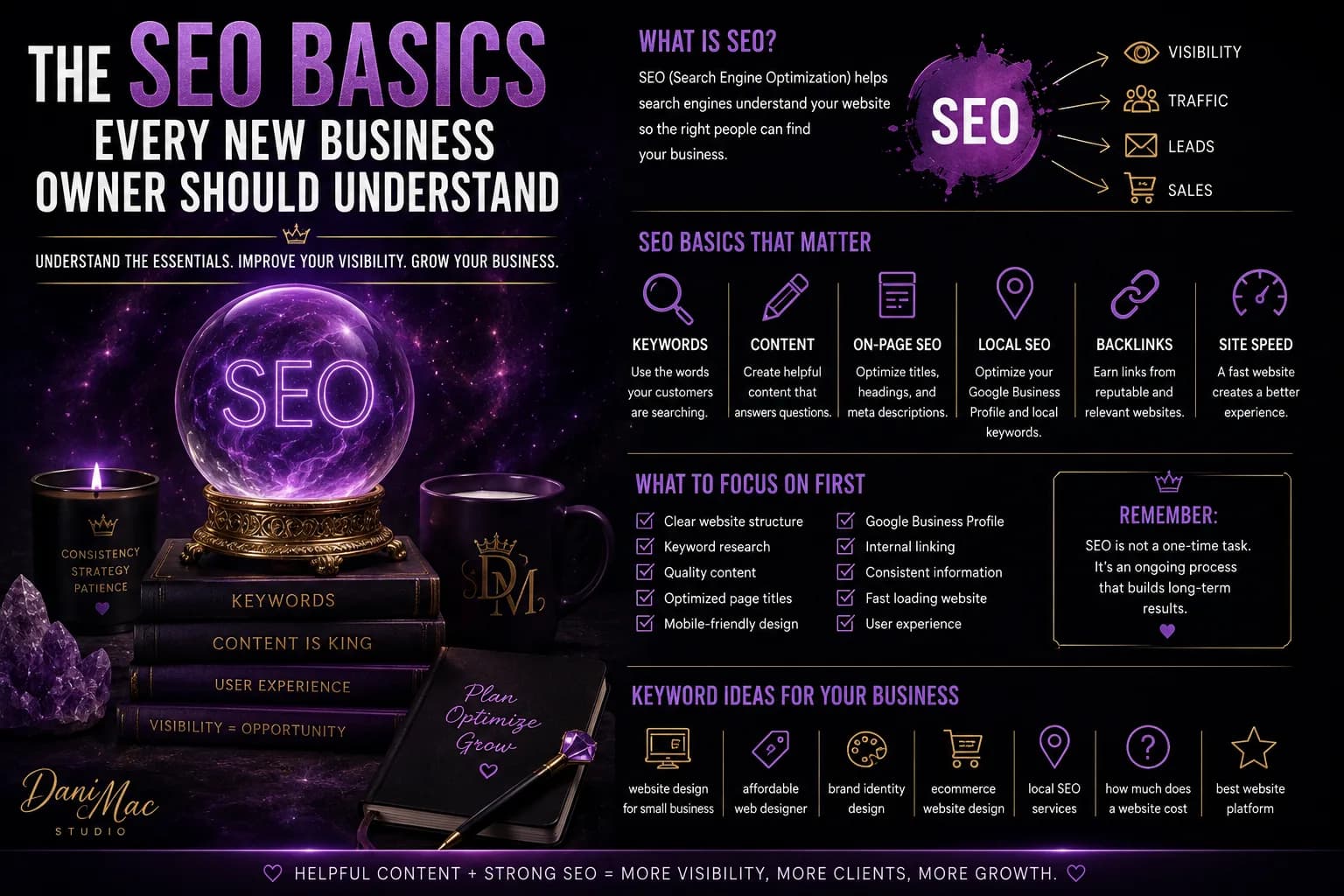
The SEO Basics Every New Business Owner Should Understand
SEO sounds way more complicated than it needs to. This guide breaks down the basics every new business owner should understand so you can make your website easier to find without becoming obsessed with keywords, algorithms, or technical nonsense you do not need yet.
Read article →
What Makes a Website Look Cheap—and How to Fix It
A website does not have to cost thousands to look professional—but a few bad design choices can make even a good business look sketchy, outdated, or thrown together. Here are the biggest things making websites look cheap and the fixes that actually make a difference.
Read article →About Dani Mac
I’m an entrepreneur, designer, digital-product creator, author, and builder of several connected brands. I share what works, what needs testing, and what I would do differently.
Explore my work →